Consistent branding
Apply brand colors, typography, border radii, spacing, and map styles so the locator feels like a native part of your site.
Customize layout, map, pins, and brand styling with a WYSIWYG preview that stays on the same screen as the locator.
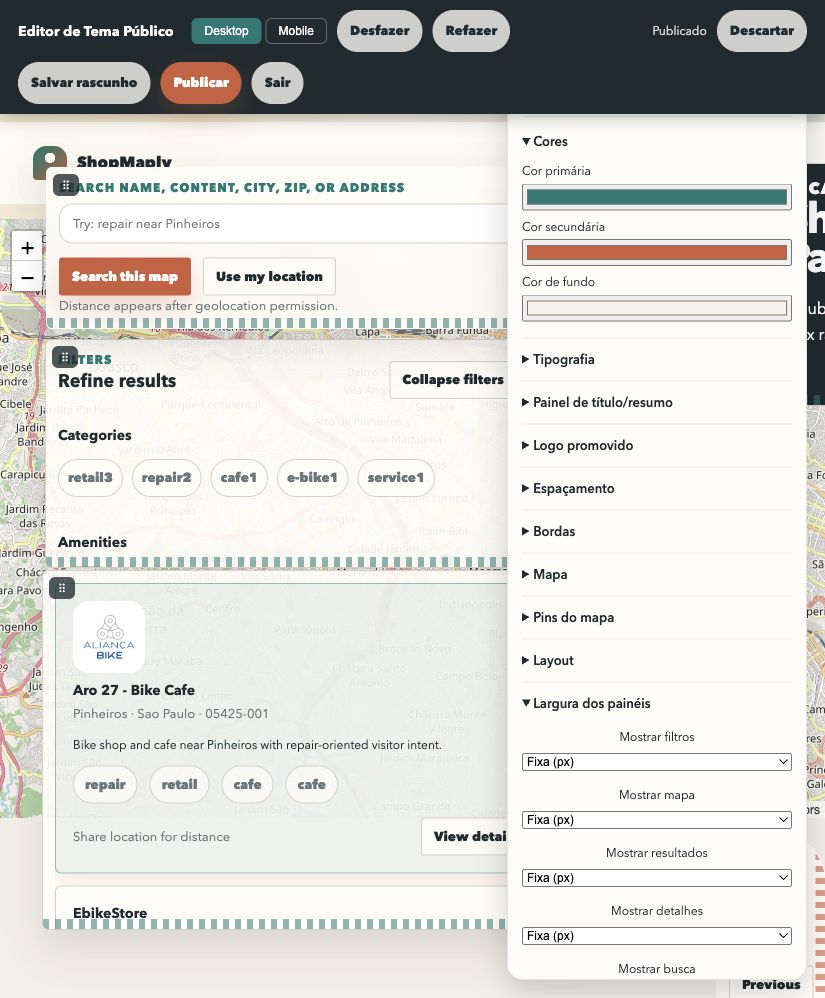
Real screenshot of the visual editor showing the WYSIWYG surface with map, filters, results, and customization controls visible at the same time.
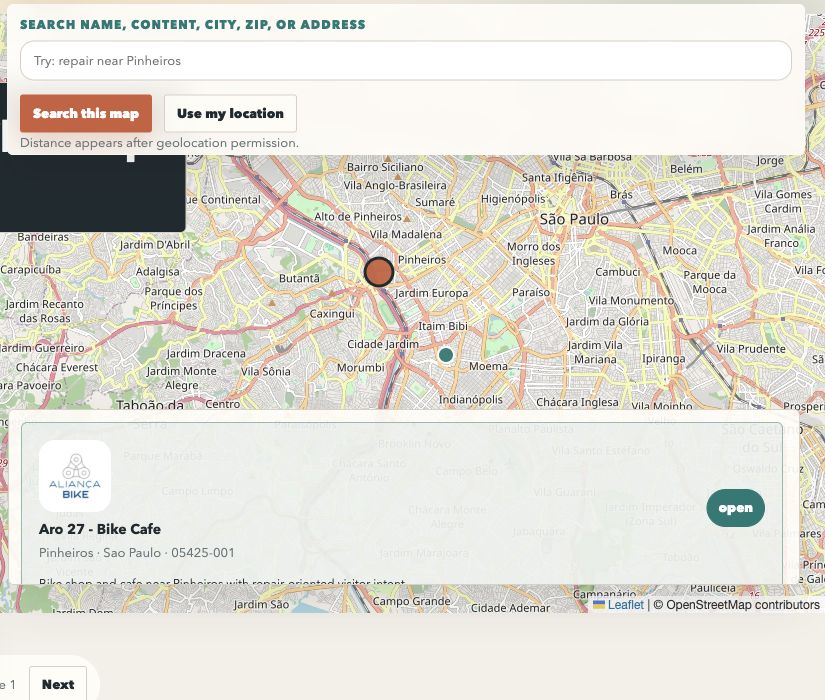
Real screenshot of the public locator showing map, search, and result card with theme decisions reflected in the final customer-facing experience.
ShopMaply's theme editor helps marketing, operations, and product teams align every locator with brand guidelines without opening a ticket for each change. Pick a structure, adjust visual tokens, test on the map, and publish when the experience is ready.
Apply brand colors, typography, border radii, spacing, and map styles so the locator feels like a native part of your site.
Live preview shows the impact of each change on the map, cards, filters, and selected-location modal while you edit.
Desktop and mobile can have different panel visibility, position, and width so each screen serves its real journey.
Undo, redo, local drafts, backend drafts, publish, and discard give teams room to iterate before changes go live.
The public locator supports brand-level and component-level customization. These are the control groups currently exposed in the theme settings and the public visual editor.
You can start from a layout template, then refine desktop and mobile independently inside the public editor. That makes it possible to keep dense layouts on large screens and more guided flows on phones.
This workflow combines the theme settings page and the public visual editor to go from default styling to a published layout.
Open theme settings, pick the locator you want to edit, and start from the template that best fits your journey: map-first, directory-first, or immersive.
Set palette, typography, hero styling, border radii, and spacing so the public experience matches your main site or campaign.
Switch the map style, configure public URLs for normal and promoted pins, and validate the look directly in preview and public editor.
Open the public visual editor, switch viewport, move panels, tune fixed or percent widths, and choose which elements stay visible on each screen.
Use undo and redo, save a backend draft for review, publish when approved, or discard changes to return to the active version.
Theme flexibility lets each company shape the locator around its own business model without rebuilding the product.
Highlight campaigns, flagship stores, and promoted logos with branded pins and stronger visual hierarchy.
Use stronger filter layouts, denser result lists, and collapsed-by-default states to speed up partner discovery.
Build mobile-first experiences with immersive maps, on-demand detail panels, and cleaner local search journeys.
Highlight strategic places in map and list views.
Learn more →Measure searches, clicks, and locator conversions.
Learn more →